Project Overview

Tools:
Figma
Applied Systems: UX audit & platform vision for a role-based insurance workspace
The issue wasn’t complexity, but where users started
Applied Systems supports many different roles across insurance agencies, but those roles often enter the product through fragmented tools, apps, and dashboards. Users are expected to already know where to go, which product to open, and how their role fits into the system before they can even start working.
Design focus: help users immediately understand where they are, why they’re there, and what matters for their role.
A single platform, shaped by role
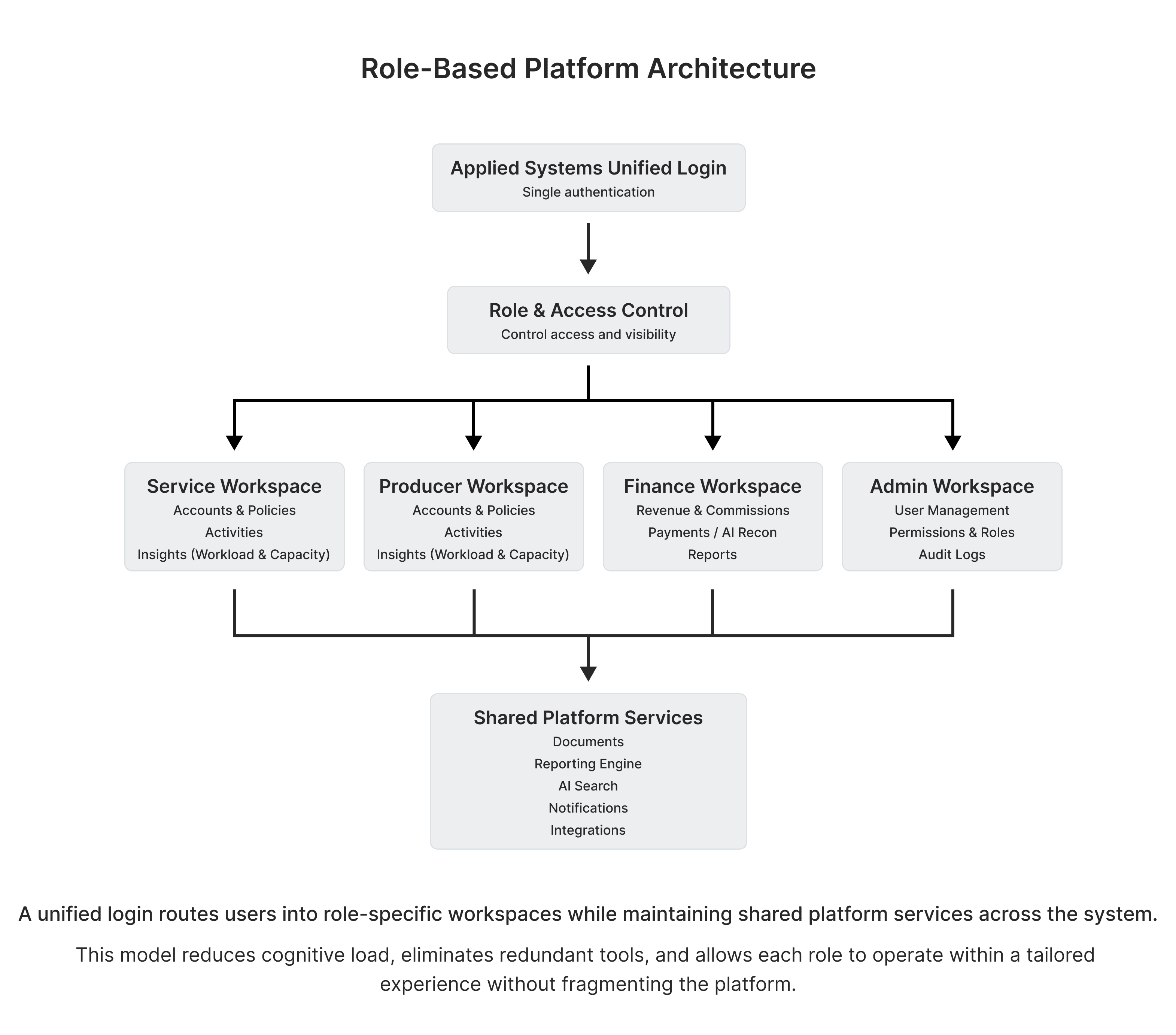
Rather than redesigning individual screens, I took a step back to rethink how everything fits together; designing Applied as a unified experience instead of users jumping between tools.
After a single login, users are automatically routed into a role-based workspace – Service, Producer, Finance, or Admin. Each workspace focuses the tasks, data, and insights specific to that role, while still sharing services like documents, reporting, search, and integrations.
This exploration focuses on desktop first, but the role-based approach also makes it easy to support mobile in certain ways like quick check-ins for producers or task updates for service teams. Because roles and permissions should stay at the platform level, mobile can work alongside the workspace rather than a separate product.
Service workspace: seeing the work clearly
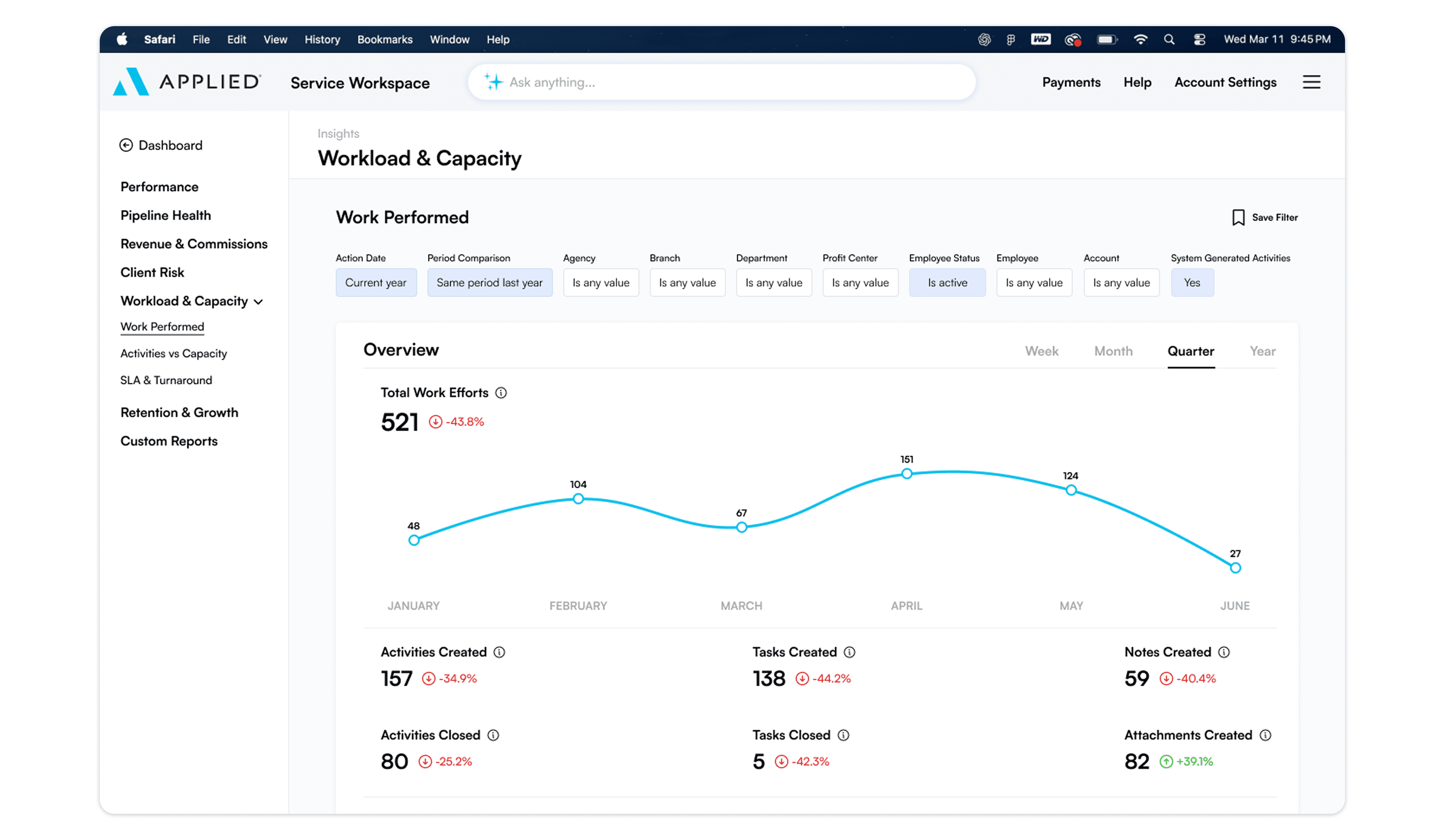
To bring this idea to life, I designed a Service Workspace centered on account management, day-to-day activity, and workload visibility. Service teams spend most of their time reacting to client needs, so understanding priorities has to be fast and obvious.
Instead of hiding reports inside configurable dashboards, key insights are laid out directly in the navigation. Examples like Work Performed live under Insights → Workload & Capacity, so performance data is easy to find, easy to understand, and part of the normal workflow.
The result of this is less setup, better visibility, and reporting that matches how service teams already think about their work, without asking them to search for it.
The intelligent header: Payments & AI search
To complete the unified experience, I moved the most important tools – Payments (Applied Pay) and AI Search into the global top navigation.
Applied Pay: Instead of leaving the workspace to handle billing, agents can send payment links directly from the header while on a call. This turns a multi-step headache into a one-click action.
AI Search: I replaced the search bar with an intelligent interface. This allows users to ask relevant questions or instantly pull up any document, significantly reducing searching through the data base.
By putting the money and the answers at the top of every screen, we eliminate hopping from tool to tool. The system will fade from being a digital storage space and start being an active partner that handles the busy work for the agent.
Outcome
This role-based model simplifies log-in, reduces redundant navigation, and gives each user a clear sense of ownership within the platform. New features or acquisitions can fit into the same structure without messing with the experience, while roles stay consistent by reducing training time and making the system easier to learn over time.